

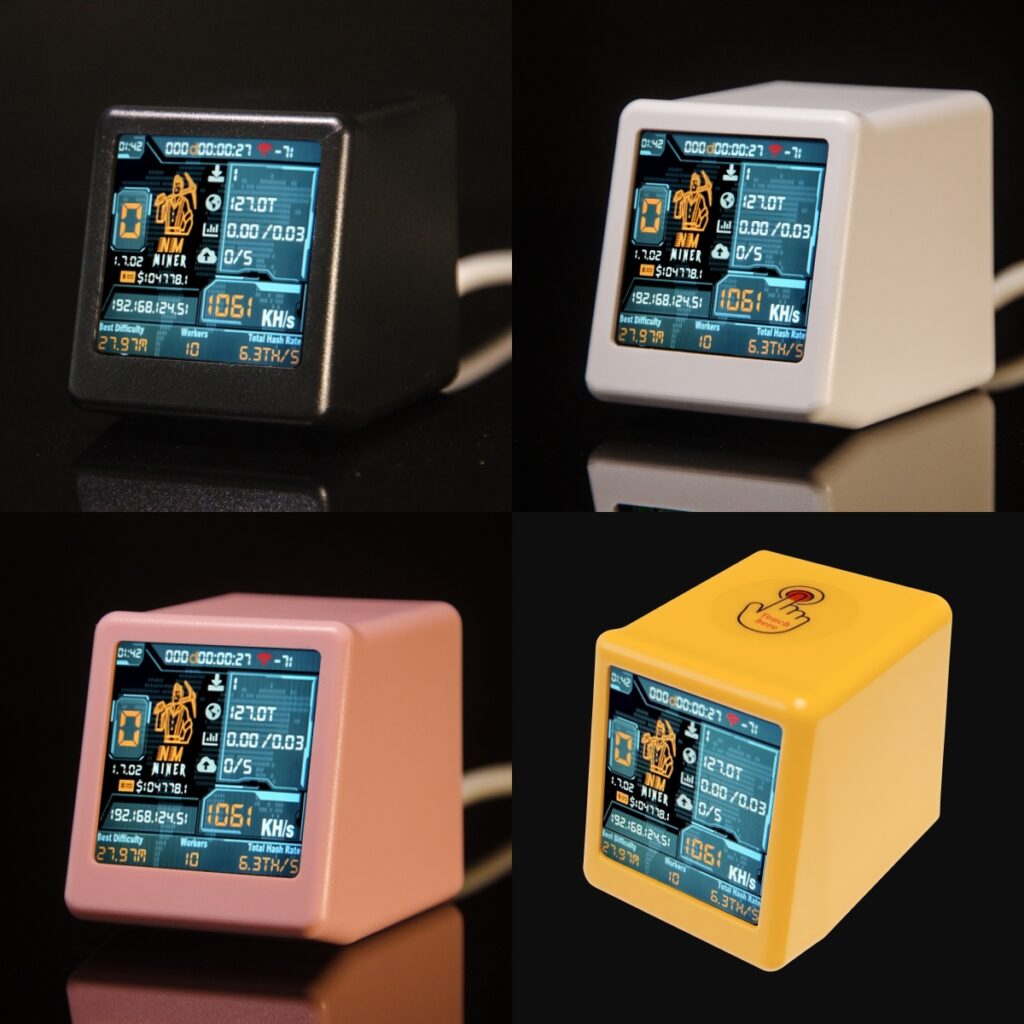
NM-TV-154 is the NMMiner official SmallTV, with 1.54 inch screen. Ultimate Crypto Mining & Smart Display Solution, next generation NerdMiner, Hashrate reach 1000+ KH/s, top one of the ESP32 Lottery, 20 times as a Nerdminer. Of course, it’s also a ESP32 development board, you can develop custom firmware by yourself. This article, we will give a demo on Arduino to show how to do it.
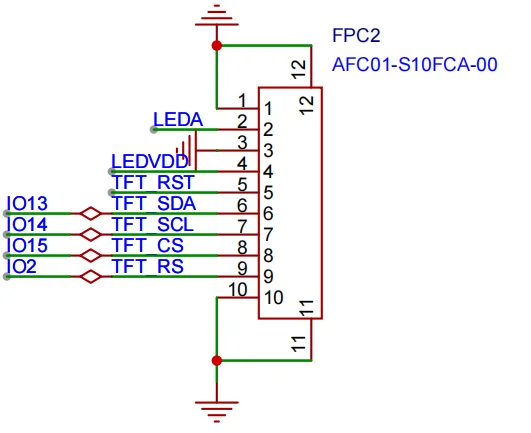
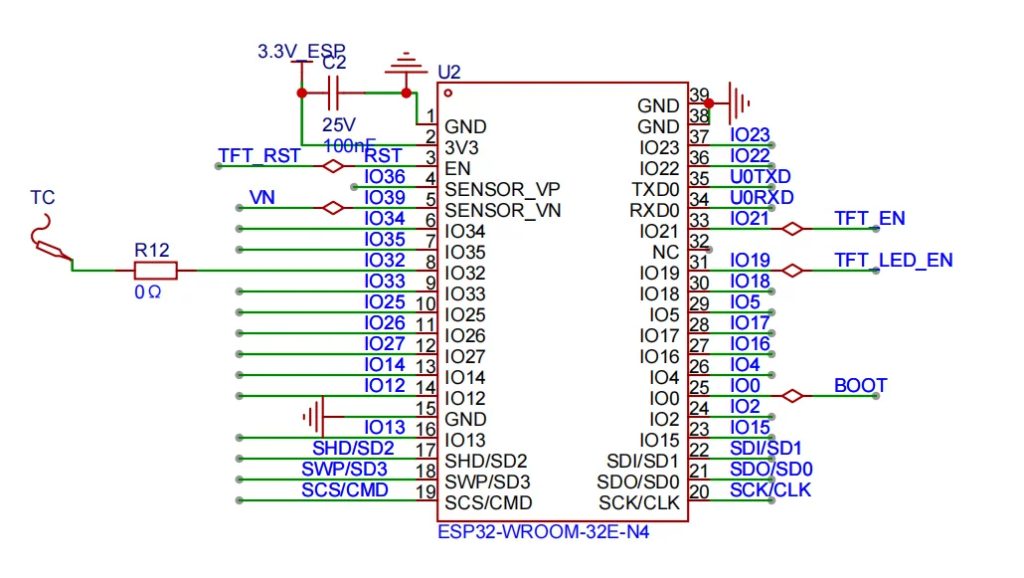
1. NM-TV-154 Schematic
2. Developing with Arduino
2.1 Add ESP32 Board Support
- Go to File -> Preferences
- Add to “Additional Boards Manager URLs”: https://espressif.github.io/arduino-esp32/package_esp32_index.json
- Go to Tools -> Boards -> Boards Manager
- Search “ESP32” and install “ESP32 by Espressif Systems”
2.2 Add Library
Arduino IDE Library Manager, Install : TFT_eSPI by Bodmer
2.3 Code
change the User_Setup.h file with NM-TV-154 pinout ( Arduino/libraries/TFT_eSPI/User_Setup.h )
#define ST7789_DRIVER     // Configure all registers

#define TFT_WIDTH  240
#define TFT_HEIGHT 240

#define TFT_BL 19
#define TFT_BACKLIGHT_ON   LOW  // HIGH or LOW are options

#define TFT_MISO   -1   // Not connected
#define TFT_MOSI   13
#define TFT_SCLK   14
#define TFT_CS     15
#define TFT_DC     2
#define TFT_RST    -1 // Connect reset to ensure display initialises

#define SPI_FREQUENCY  40000000
#define SPI_READ_FREQUENCY  20000000
#define SPI_TOUCH_FREQUENCY  2500000
Then code the applicaion:
#include <SPI.h>
#include <TFT_eSPI.h>

// LED back-light control pin
#define TFT_PWER_PIN 21

#define TFT_RED 0xF800
#define TFT_BLUE 0x001F
#define TFT_YELLOW 0xFFE0
#define TFT_BLACK 0x0000
#define TFT_WHITE 0xFFFF

// Global objects
TFT_eSPI tft = TFT_eSPI();

void setup() {
  // put your setup code here, to run once:
  Serial.begin(115200);

  if(TFT_PWER_PIN!=-1){
    pinMode(TFT_PWER_PIN, OUTPUT);
    digitalWrite(TFT_PWER_PIN, LOW);
  }

  // Display setup
  tft.begin();
  tft.setSwapBytes(true);
  // default rotation 0
  tft.setRotation(0);

  tft.fillScreen(TFT_YELLOW);

  // Header
  tft.fillRect(0, 0, 240, 50, TFT_BLUE);
  tft.drawFastHLine(0, 50, 240, TFT_RED);

  // draw string
  tft.setTextColor(TFT_BLACK, TFT_WHITE);
  tft.drawCentreString("NM-TV-154", 120, 120, 2);
}

void loop() {
  // put your main code here, to run repeatedly:

}
NMMiner Website: https://www.nmminer.com/product/nm-tv-154/
NMTech Global Store: https://www.aliexpress.com/item/1005009324177640.html