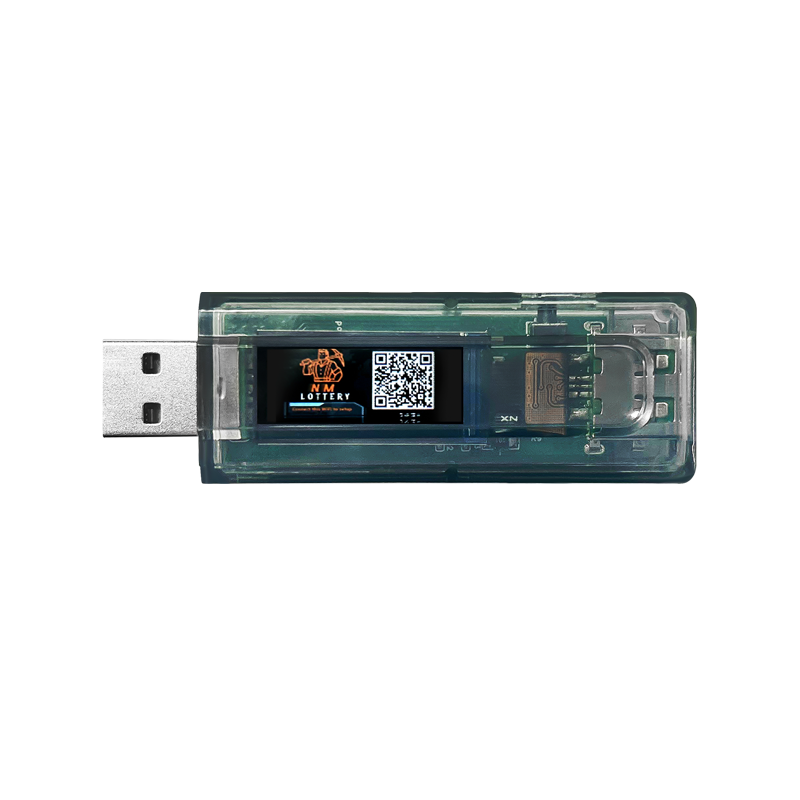

Introduction
The NMMiner, along with its powerful NMAxe, NMAxe-Gamma, has democratized the dream of Bitcoin solo mining, turning low-power ESP32 devices into personal crypto lottery tickets. While the promise of a low-cost, low-power miner is exciting, the journey from unboxing to stable operation can sometimes be fraught with technical challenges. From stubborn Wi-Fi connections to unexpected reboots, community forums are filled with users seeking solutions.
To help you keep your miner hashing smoothly, we have compiled a comprehensive troubleshooting guide, synthesizing common issues and proven fixes sourced directly from the official NMMiner website, GitHub repositories, and active community discussions on Reddit and Facebook. This guide is your essential resource for resolving the most frequent NMMiner and NMAxe problems.
Section 1: Setup and Connectivity
The initial setup phase is where many users encounter their first roadblocks, often related to network configuration and device access.
Q1.1 How do I start the initial setup for my NMMiner device?
A: When you first power on the device, it will create a Wi-Fi Access Point (AP) named “nmap-2.4g” with the password “12345678”. Connect to this AP, and the configuration screen should automatically appear on your device (smartphone or computer). Click on “Configure WiFi” to proceed with setting up your home 2.4G network and wallet address.
Q1.2 My device is stuck on “market connection” or a percentage (e.g., 80%) during setup. What should I do?
A: This usually indicates a connectivity issue.
1 Ensure your Wi-Fi network is a 2.4GHz band.
2 Verify that your pool settings (URL and port) are correct.
3 Verify your BTC wallet address is correct. Three types of BTC wallets supported:
a) Bech32 (SegWit) (BIP-173):
Starts with bc1….
b) BASE58 (P2SH-SegWit):
Starts with 3…
c) BASE58 (Legacy):
Starts with 1…
4 Try to update to the latest version from https://flash.nmminer.com
5 If the issue persists, try a hard reset (unplug and replug) and re-enter the configuration details.
Q1.3 The configuration screen is not appearing after connecting to the “nmap-2.4g” AP
A: One reason is that there are too many NMMiner device powered on at the same time, so turn them off and configure them one by one.
Try manually navigating to the device’s IP address in your browser (often 192.168.4.1) after connecting to the AP.
If that fails, ensure your browser is not caching old data, or try a different browser (Microsoft Edge is sometimes recommended for flashing/setup).
Section 2: Firmware Updates and Flashing Issues
Keeping your NMMiner updated is crucial for performance and stability, but the flashing process itself can present challenges.
Q2.1: How do I update the NMMiner firmware?
A: The recommended method is to use the NMMiner Web Flasher tool, typically found at https://flash.nmminer.com/. The process is generally one-click, but you may need to manually select the correct parameters for your device (e.g., for the ESP32-2432S028 CYD model, you can try esp32-2432s028r-st7789 or esp32-2432s028r-ili9341).


Q2.2: Device Not Recognized by the Web Flasher or Stuck on Boot
If the NMMiner Web Flasher (https://flash.nmminer.com) fails to detect your device or the update stalls, a manual intervention is required.
Solution:
- Use a high-quality USB data cable.
- Initiate the connection process in the flasher tool.
- Plug in the USB cable to the device.
- If the connection still fails, press and hold the BOOT button on the device until the connection is successfully established.
- for NM-CYD and NM-TV, you should install the CH340 driver first.
Q2.3: The screen colors are inverted after a firmware update
A: This is often due to an incorrect display driver setting. Check the device’s configuration settings for an option to “Invert Colors” or ensure you selected the correct LCD driver during the flashing process (e.g., ST7789 for CYD or ili9341).
Flash the esp32-2432s028r-ili9341 to st7789 driver device, will “Invert Color”;

Flash the esp32-2432s028r-st7789 to ili9341 driver device, the screen will become “WHITE”.

Section 3: Pool Connection and Stability
Maintaining a stable connection to the mining pool is essential for continuous operation.
Q3.1: My miner is showing “No pool connection” or failing to connect to the mining pool.
A:
1. Double-check the pool URL and port for typos.
2. Be aware that some mining pools/ports do not allow low-power miners like the NMMiner/NerdMiner v2 series. Try switching to a pool known to support these devices (e.g., pool.nerdminers.org:3333).
3. Check your home network firewall settings, as they may be blocking the outbound connection.
Q3.2: My miner is constantly rebooting when I access the monitor page via its IP address.
A: This is a known issue in some older firmware versions (e.g., v1.8.23). Solution: Update to the latest stable firmware version, as this bug is typically resolved in newer releases.
Section 4: Hardware, Performance
Q4.1: My NMMiner/NMAxe device keeps restarting every few minutes.
A: This is most commonly a power supply issue. The device requires a stable 5V power source. Try a different, high-quality USB cable and a power adapter that can reliably supply at least 1A (12V/2A for NMAxe, 12V/3A for NMAxe-gamma). Overheating can also cause reboots.
Q4.2: My NMAxe hashrate has dropped significantly after a firmware update.
A: Check the device’s frequency settings. Some users report instability or performance drops when the NMAxe is set to a high frequency, default parameter: frequency: 575 MHz / Vcore: 1250mV. Try manually resetting the frequency to a lower, stable setting.
Q4.3 The temperature is not displayed on my miner.
A: This can be a firmware bug or a sensor issue. Ensure you are on the latest firmware.
For ESP32 CYD device or ESP32-D0 device (e.g. nm-tv-154) , the MCU do not have temperature sensor, so can’t get temperature. NMTech Team will and sensor support next version, like BME280 with the sensor cable.
Section 5: License and Security
Q5.1: Do I need a new license for every device i use?
A: Yes. The license is typically tied to the specific device ID. If you purchase a new device or want to use an existing ESP32 board, you will need to purchase a separate license for each one. For some seller, the device is NMMiner Inside, do not need to buy license any more.
Q5.2: I purchased a device, but it did not come with a license.
A: If you purchased from a third-party vendor (e.g., on AliExpress, Amazon with cheaper price), the license may not be included.
You will need to purchase a Single License from the official NMMiner website or a licensed reseller and activate it using the NMMiner Activation Tool (https://license.nmminer.shop/).
The device from https://www.nmminer.com and AliExpress Store NMTech Global Store (https://www.aliexpress.com/store/1104268817/), the devices all included NMMiner License.
Q5.3: What is the “Fallback Wallet” security risk?
A: Some firmware versions may contain a default or “fallback” wallet address. If your device fails to connect to your configured pool, it may start mining for this fallback address.
Action: Always ensure your device is running the latest official firmware and that your wallet address is correctly configured to prevent mining for an unknown party.
Conclusion
The NMMiner and NMAxe represent an exciting, low-barrier entry into the world of solo mining. While technical issues are an inevitable part of any hardware-software ecosystem, the solutions are often straightforward and well-documented within the community. By following this guide, you can quickly diagnose and resolve the most common problems, ensuring your device remains online and ready for that lucky block.
Remember, the NMMiner community is a valuable resource. If you encounter a new issue, check the official GitHub repository for the latest bug reports or join the active discussions on Reddit and Facebook. Happy mining!
References
References
[1] NMMiner Official Website – Setup Guide: https://www.nmminer.com/2025/11/22/how-to-start-your-nmminer-journey/
[2] Reddit – Stuck on Market Connection: https://www.reddit.com/r/NMTech_Team/
[3] GitHub – Flashing Issues: https://github.com/NMminer1024/NMMiner/issues
[4] Reddit – Inverted Color Screen: https://www.reddit.com/r/NMTech_Team/
[5] GitHub – No Pool Connection: https://github.com/NMminer1024/NMMiner/issues
[6] GitHub – Reboot on IP Access: https://github.com/NMminer1024/NMMiner/issues